

Attach a debugger to an Active User Session in Business Central
Introduction
Business Central has recently introduced the functionality to attach a debugger to an active User session.
This was previously available in NAV however it has only recently become available for Business Central.
Pre-requisites
Business Central Cloud/OnPrem
References
Configuration
To use this functionality, we simply need to create an entry in the launch.json file.
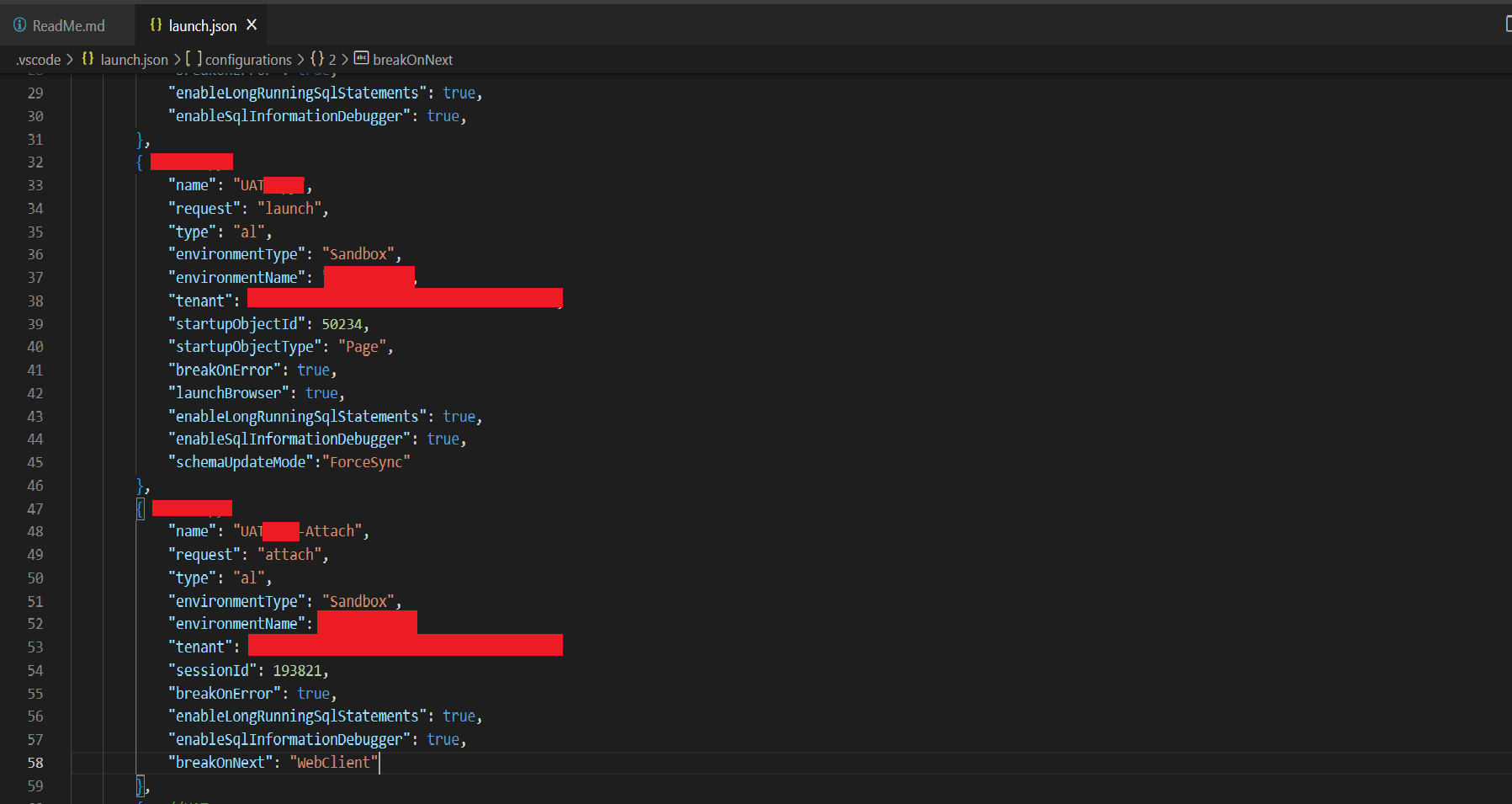
This works much faster than the traditional deploy and debug and really makes your life easier as a developer.

Also, I tried using it for a Production Environment and as expected it didn’t work. Snapshot debugging it is then!
Conclusion
Thus, we saw how we can attach a debugger to an active user session in Business Central.
Happy Coding!
Related posts:

Resolving SSL/TLS Secure Channel Trust Errors in Dynamics 365 Finance and Operations

How to change a Bill of material (BOM) item on a production order
![Shopify Meets Dynamics 365 Finance and Operations: A Guide to Integration [Part 2]](https://www.cloudfronts.in/wp-content/uploads/2024/12/DALL·E-2024-12-14-12.29.44-A-professional-illustration-depicting-the-integration-between-Shopify-and-Dynamics-365-Finance-and-Operations.-The-image-shows-Shopify-on-one-side-wit-150x150.webp)
Shopify Meets Dynamics 365 Finance and Operations: A Guide to Integration [Part 2]
