

Create a new record using Editable Grid in Canvas App
Introduction – In this blog we will see how can we create new record in editable grid itself.
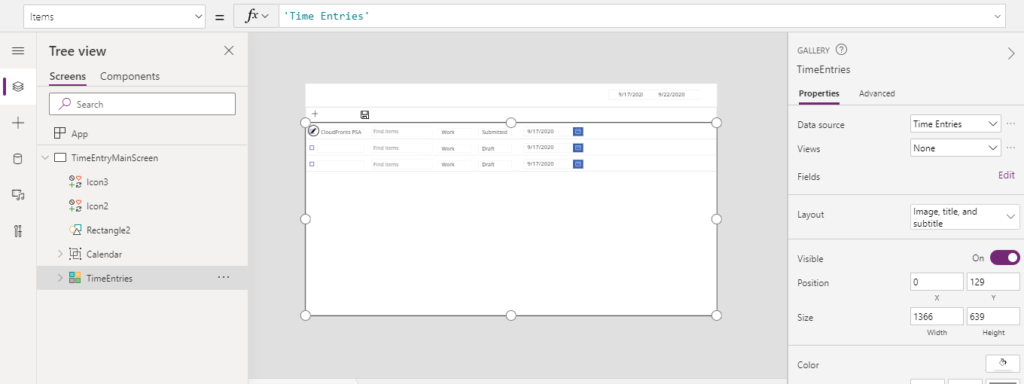
Below is the Time Entry Grid and we wanted to add new row on click on “+”
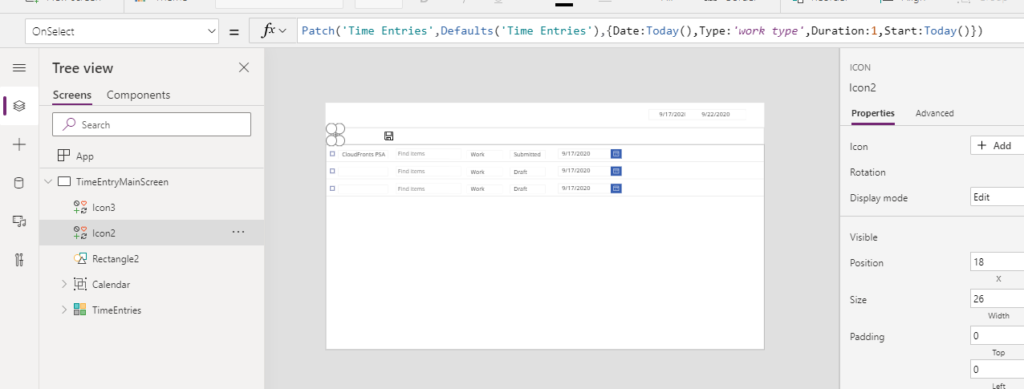
Step 1 : Add new icon “+” on screen and add patch operation On Select of the new icon.
Syntax –
Patch(Data source, Defaults(Data Source),{Attribute: value})
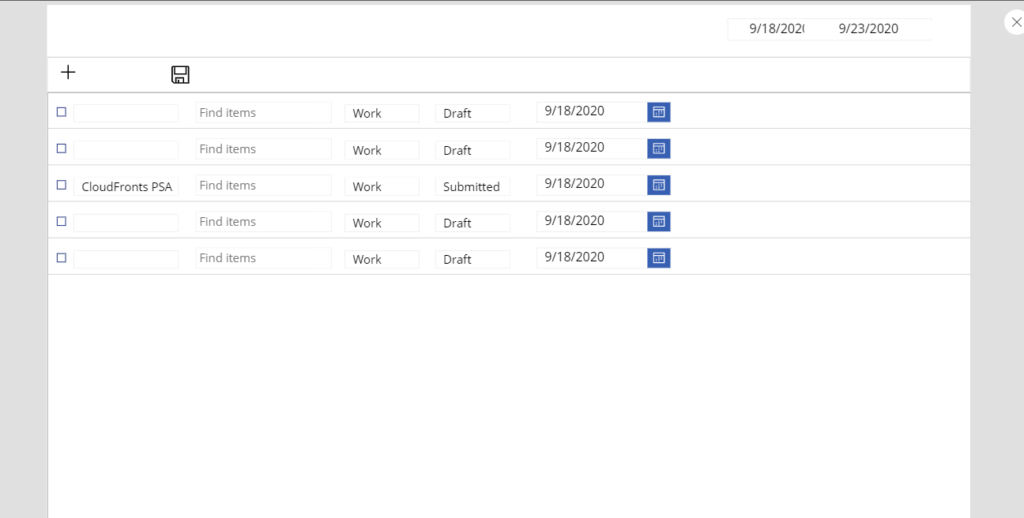
Output-
Hope this helps!
Related posts:

Resolving SSL/TLS Secure Channel Trust Errors in Dynamics 365 Finance and Operations

How to change a Bill of material (BOM) item on a production order
![Shopify Meets Dynamics 365 Finance and Operations: A Guide to Integration [Part 2]](https://www.cloudfronts.in/wp-content/uploads/2024/12/DALL·E-2024-12-14-12.29.44-A-professional-illustration-depicting-the-integration-between-Shopify-and-Dynamics-365-Finance-and-Operations.-The-image-shows-Shopify-on-one-side-wit-150x150.webp)
Shopify Meets Dynamics 365 Finance and Operations: A Guide to Integration [Part 2]
