

Setting up User’s Manager in Office 365
Introduction:
It is important that you have your organization hierarchy setup in order to use advance features. To setup Manager for User in Office 365, there’s a couple of ways how you can make that happen.
- Manager setup in Exchange Online.
- Manager setup in Azure AD.
Manager setup in Exchange Online:
1. You need to login as administrator to your Office 365 and then choose ‘Admin Centers’, and ‘Exchange’.

2. Then go to ‘Recipients’ left menu item, search for the person that you want to manage, highlight the person and choose details.

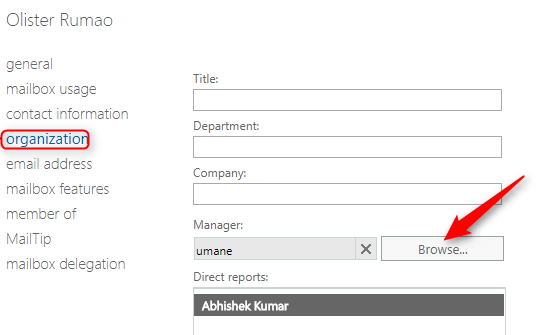
3. Navigate down to Organization and then browse their manager.
Manager Setup in Azure AD:
Alternative is to set user’s manager in Azure Active Directory directly. To do that, you need to login as administrator to your Azure portal, Users and Group > All User.
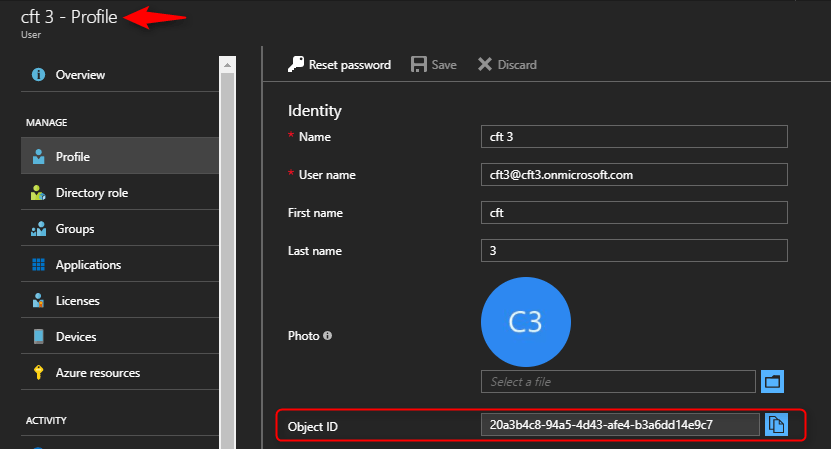
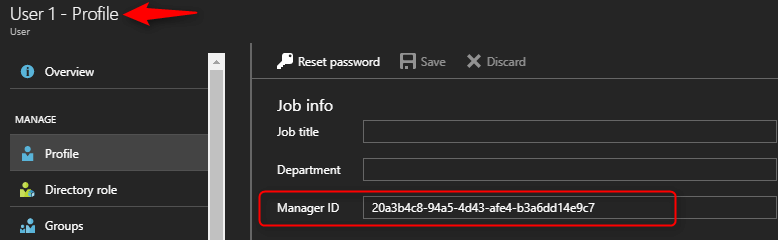
In order to set Manager in Azure AD, You will need to know manager’s person object ID to set it as a Manager ID for user (which you can look up by checking manager’s profile)’
Manager’s Profile –
User’s Profile –
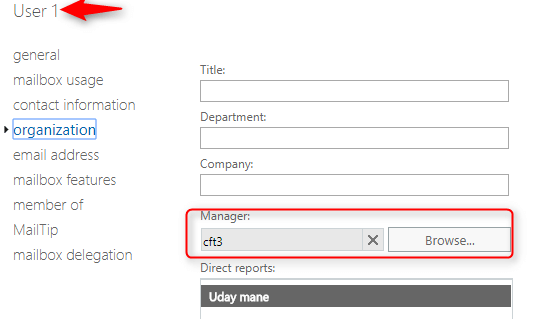
After filling Manager ID and saving user profile, Manager will also be shown after few minutes in Mailboxes (Exchange Online).
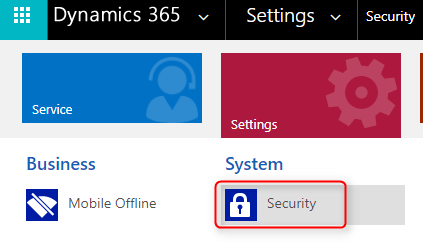
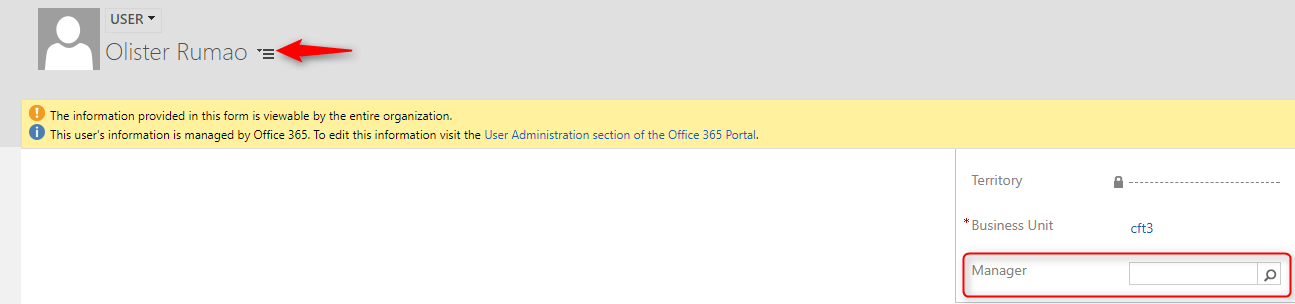
Manager setup can also be done in Dynamics 365, for doing so login to Dynamics 365.
And, go to Settings > Users > Organization information and search for Manager of that user.
Conclusion:
In this way you can setup hierarchy in your Organization which is important in order to use full and advance features, you can also setup manager form Dynamics 365. Setting Manager information between Exchange Online and Azure AD will be synced.
Related posts:

Resolving SSL/TLS Secure Channel Trust Errors in Dynamics 365 Finance and Operations

How to change a Bill of material (BOM) item on a production order
![Shopify Meets Dynamics 365 Finance and Operations: A Guide to Integration [Part 2]](https://www.cloudfronts.in/wp-content/uploads/2024/12/DALL·E-2024-12-14-12.29.44-A-professional-illustration-depicting-the-integration-between-Shopify-and-Dynamics-365-Finance-and-Operations.-The-image-shows-Shopify-on-one-side-wit-150x150.webp)
Shopify Meets Dynamics 365 Finance and Operations: A Guide to Integration [Part 2]
