

Missing Registration For Location Error while Publishing the API on Azure.
Introduction:
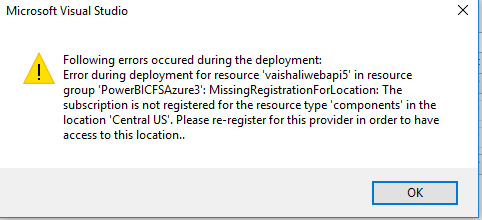
Missing Registration For Location Error Can come when we are trying to publish the web application on azure from Visual studio.
Solution:
There are many blogs which says updating your visual studio or Upgrading Azure SDK will resolve your problem but this solutions did not work for me. So I used alternative approach for publishing.
Steps:
- Publish your web application using visual studio. It gives this error. but It creates App Service Plan and App Service in Azure.
- sign in to portal.azure.com
- Select the App Service which you have created.
- Click on Get Publish Profile.

- Now Again Go to Visual studio and Publish.
- This time while publishing select Import.

- Select the file which you have downloaded from azure.
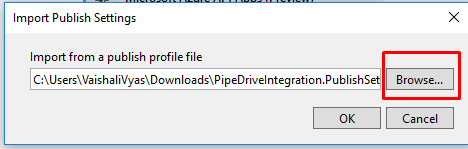
- Click Ok.
- Click On Publish.
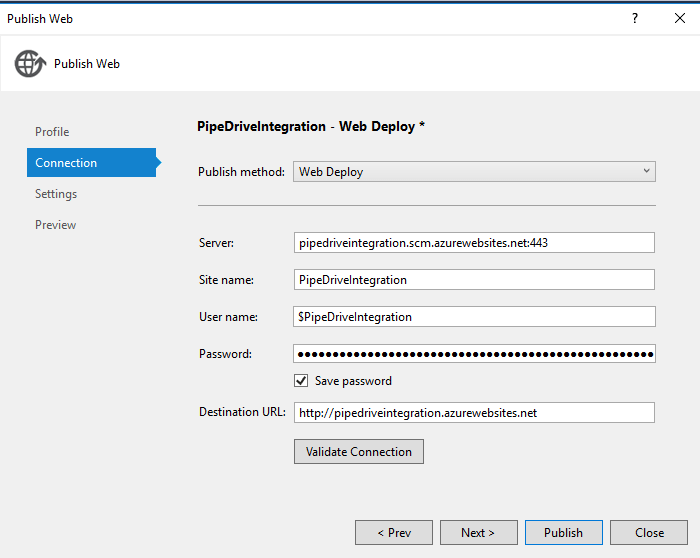 10. Your Application will get Publish.
I hope this solve your issue also.
Related posts:

Resolving SSL/TLS Secure Channel Trust Errors in Dynamics 365 Finance and Operations

How to change a Bill of material (BOM) item on a production order
![Shopify Meets Dynamics 365 Finance and Operations: A Guide to Integration [Part 2]](https://www.cloudfronts.in/wp-content/uploads/2024/12/DALL·E-2024-12-14-12.29.44-A-professional-illustration-depicting-the-integration-between-Shopify-and-Dynamics-365-Finance-and-Operations.-The-image-shows-Shopify-on-one-side-wit-150x150.webp)
Shopify Meets Dynamics 365 Finance and Operations: A Guide to Integration [Part 2]
