

How to create Azure SQL database from Azure Portal
Hello friends, In this blog we will learn how to create an Azure SQL database in Azure portal.
Steps:
- Go to www.portal.azure.com and create new resource of SQL Database.

- Create New database, click on new server and fill the necessary details, the login id and password will be the same that you will use to authenticate the database.
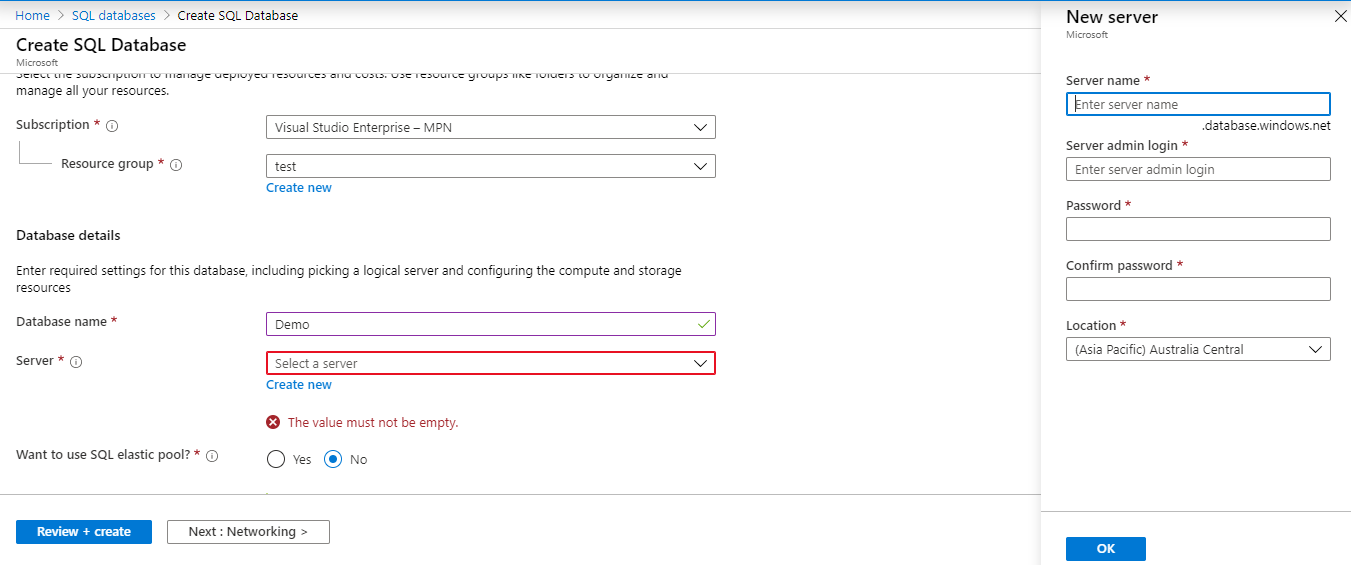
- Now the database is ready! You can click on Basic pricing tire to change the pricing of the database.
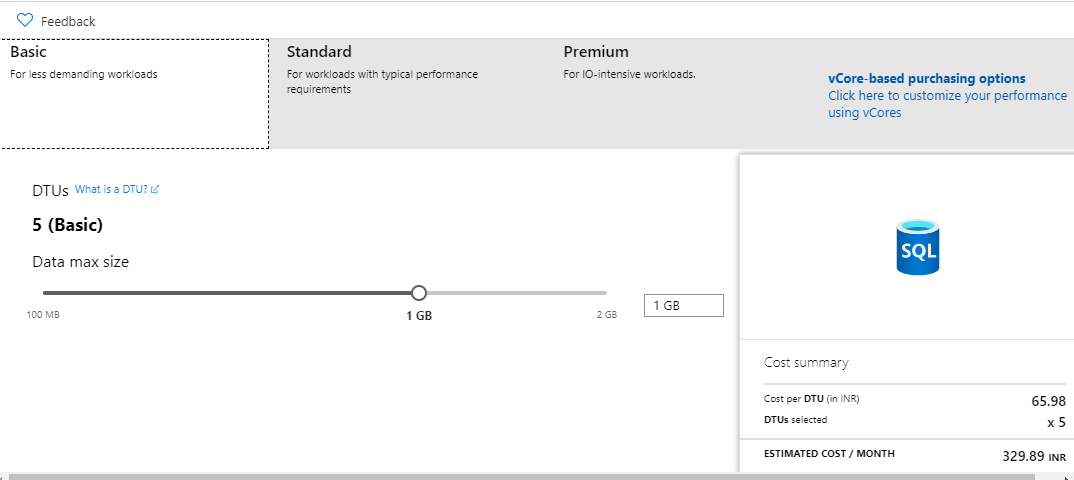 Pricing Overview of Azure SQL:
BASIC STANDARD PREMIUM DATA SIZE MAX 2 GB 250 GB 500GB DTU MAX 5 50 4000 PRICE (INR) /Month 329.89 4958.54 1057537.88 Hope this helps!
Related posts:

Resolving SSL/TLS Secure Channel Trust Errors in Dynamics 365 Finance and Operations

How to change a Bill of material (BOM) item on a production order
![Shopify Meets Dynamics 365 Finance and Operations: A Guide to Integration [Part 2]](https://www.cloudfronts.in/wp-content/uploads/2024/12/DALL·E-2024-12-14-12.29.44-A-professional-illustration-depicting-the-integration-between-Shopify-and-Dynamics-365-Finance-and-Operations.-The-image-shows-Shopify-on-one-side-wit-150x150.webp)
Shopify Meets Dynamics 365 Finance and Operations: A Guide to Integration [Part 2]
