

How to Send Email Notifications for Failed Pipeline Runs : Part 1
Introduction:
ADF has a feature to Monitor and Audit the ADF activity. These Alerts can be Fired on both success and failure of a pipeline based on how we configure it.
Step 1:
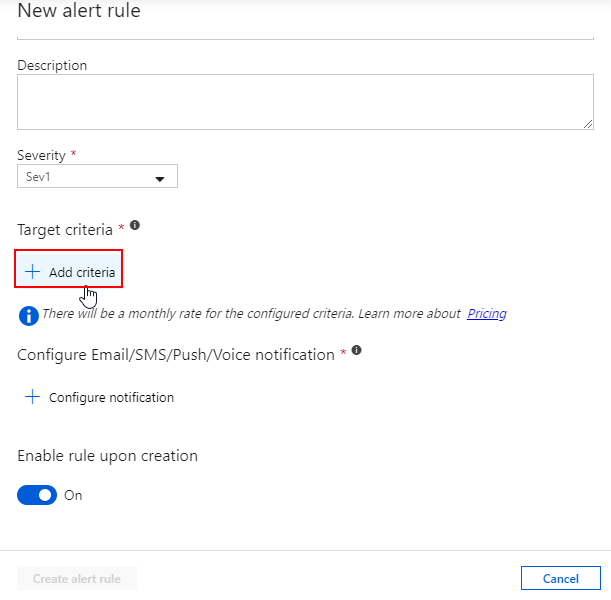
Go to ADF Monitory and click “New Alert Rule” to create a new alert.

Step 2:
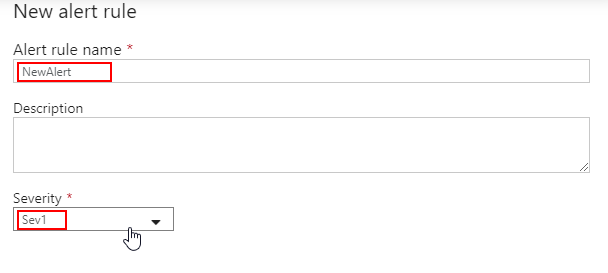
Set the Alert rule name and its severity:
– Sev 0 = Critical
– Sev 1 = Error
– Sev 2 = Warning
– Sev 3 = Informational
– Sev 4 = Verbose
Here we will select Sev1
Step 3:
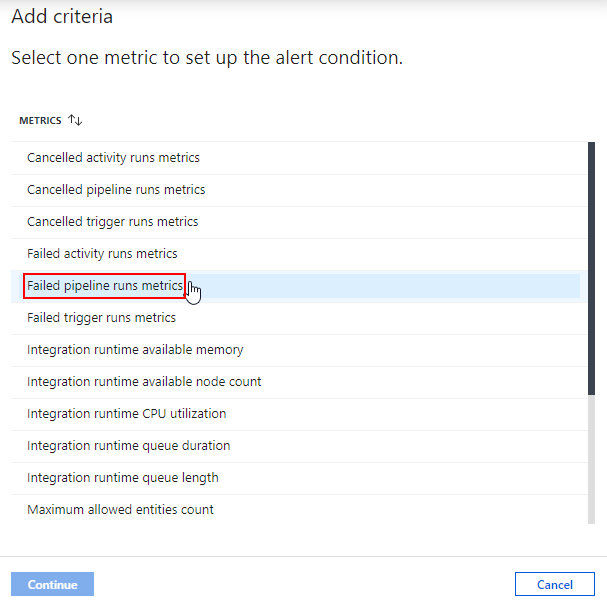
Set the Alert criteria as Failed pipeline runs metrics which will trigger only when a pipeline activity fails.
Step 4:
Set the Alert criteria as Failed pipeline runs metrics which will trigger only when a pipeline activity fails.
Step 5:
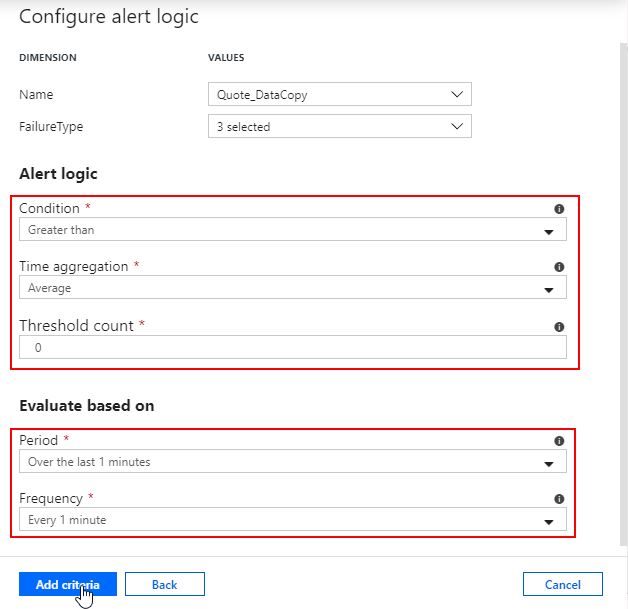
Select the Name of the Pipeline for which you want to send the alerts.

Step 6:
Select All the Failure Types.

Step 7:
Set the Alert Logic to compare the metric value with threshold calculated based on time aggregation. Set the period and frequency based on which the above time aggregation in alert logic condition works. For now, keep these options as default and click on Add Criteria.
Note:
Only two criteria can be added.
Check the Next Part 2 of this Blog at :
Related posts:

Resolving SSL/TLS Secure Channel Trust Errors in Dynamics 365 Finance and Operations

How to change a Bill of material (BOM) item on a production order
![Shopify Meets Dynamics 365 Finance and Operations: A Guide to Integration [Part 2]](https://www.cloudfronts.in/wp-content/uploads/2024/12/DALL·E-2024-12-14-12.29.44-A-professional-illustration-depicting-the-integration-between-Shopify-and-Dynamics-365-Finance-and-Operations.-The-image-shows-Shopify-on-one-side-wit-150x150.webp)
Shopify Meets Dynamics 365 Finance and Operations: A Guide to Integration [Part 2]
