

How to Customize the API management new Developer Portal
About:
API Management (APIM) has a new developer portal which is use-friendly and easy to customize. You can customize your UI for Developer portal by understanding it with help of Following Materials:
Video: https://www.youtube.com/watch?v=5mMtUSmfUlw
Document: https://docs.microsoft.com/en-us/azure/api-management/api-management-howto-developer-portal
Some Steps to Customize the Developer Portal for changing the Logo and Text are explained in this blog.
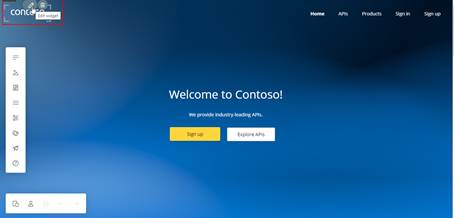
Step 1: Click on any widget and click on Edit.
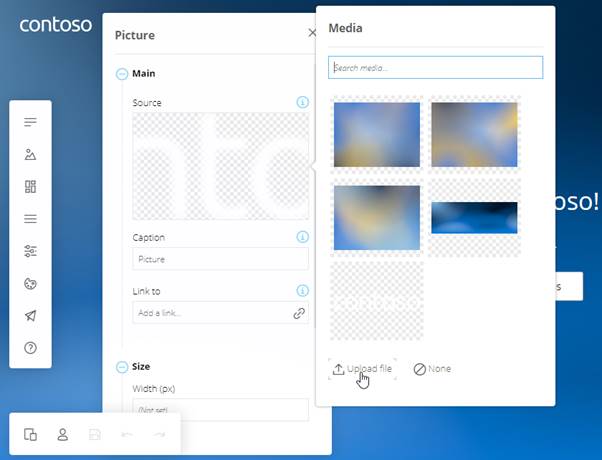
Step 2: Click on upload a file to change the logo.
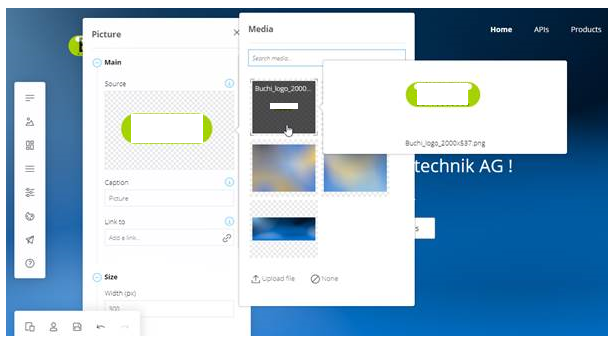
Step 3: Select your newly uploaded logo. Now you can click on save at the bottom to save your changes on the developer portal.
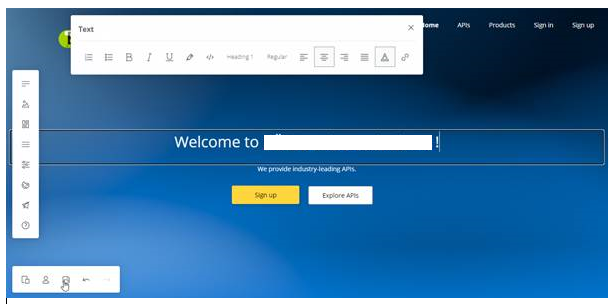
Step 4: Select the Text you want to edit, and you can simply Type in the Text box and change its style, etc.
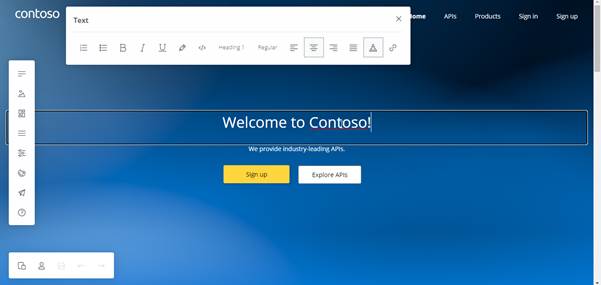
Step 5: After editing click on Save button on bottom page.
Related posts:

Resolving SSL/TLS Secure Channel Trust Errors in Dynamics 365 Finance and Operations

How to change a Bill of material (BOM) item on a production order
![Shopify Meets Dynamics 365 Finance and Operations: A Guide to Integration [Part 2]](https://www.cloudfronts.in/wp-content/uploads/2024/12/DALL·E-2024-12-14-12.29.44-A-professional-illustration-depicting-the-integration-between-Shopify-and-Dynamics-365-Finance-and-Operations.-The-image-shows-Shopify-on-one-side-wit-150x150.webp)
Shopify Meets Dynamics 365 Finance and Operations: A Guide to Integration [Part 2]
