

Calculated Field in Dynamic 365 CE
Introduction
In this blog we will see how to use Calculated field.
Use Case :
Its common requirement of Project to set calculated date to specific date field by adding or Subtracting the no. of days.
Implementation :
Step 1: Let say we have date field in an Account Entity.
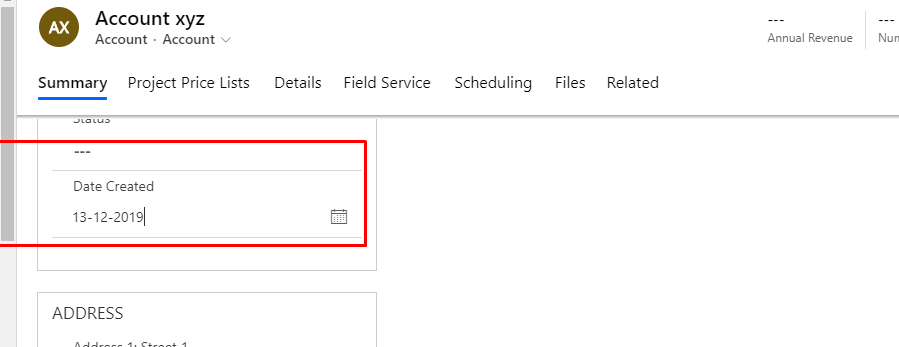
Step 2: Create one more date field with data type as date with field type as calculated field.
Select field type -> Calculated -> Edit
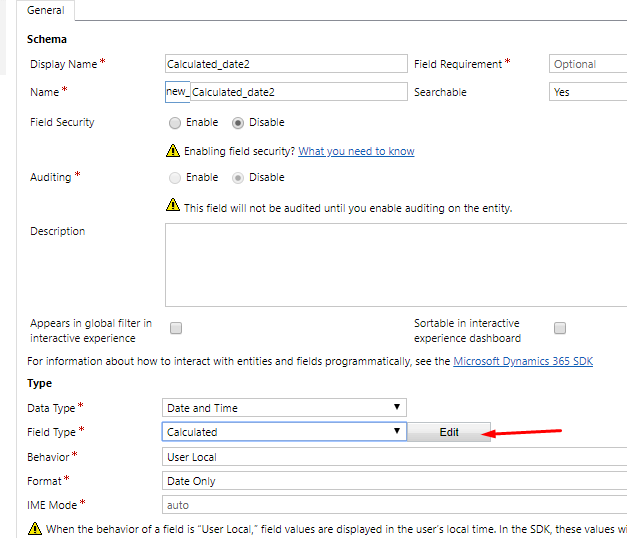
Step 3: Click on Edit. and add condition.
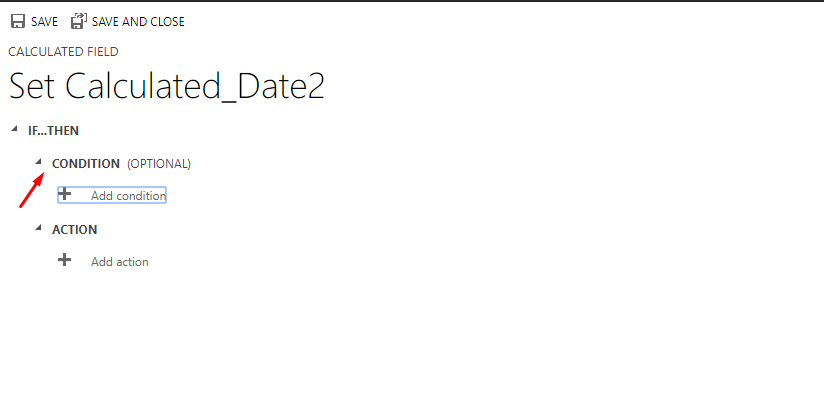
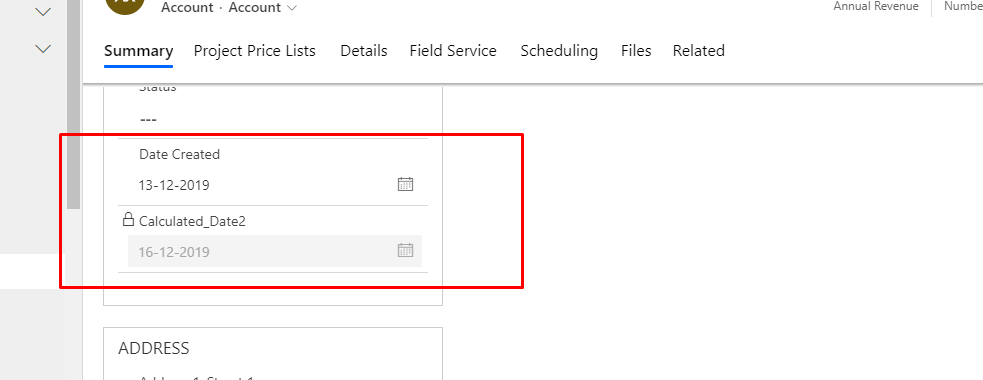
In this scenario , I want to add 3 days to the selected date which is date created field.
So the condition is if current entity date created field contains data

And then add action. Save and close

Result :
Related posts:

Resolving SSL/TLS Secure Channel Trust Errors in Dynamics 365 Finance and Operations

How to change a Bill of material (BOM) item on a production order

How to Set Up a Local Development Environment for D365 Finance and Operations Without Azure Costs