


Have you ever encountered the error:
“The underlying connection was closed: Could not establish trust relationship for the SSL/TLS secure channel”
while deploying from Visual Studio to Finance and Operations.
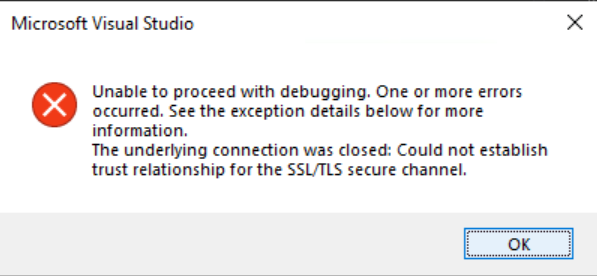
This error is often linked to an expired or invalid SSL certificate in your environment.
This also shows up as an expired SSL Certificate warning when you open your Finance and Operations environment from the browser.

Certificates are critical for securing communication channels, and an expired certificate can disrupt services and integrations.
In this blog, we’ll explore the cause of the error and provide steps to resolve it.
References
- Eugene Dmytriienko – Onpremise Certificate Rotation
- Said Nikjou – Rotate Secrets via LCS
- MS Docs – Certificate Rotation
Configuration
In a new cloud hosted environment, the SSL Certificate stays valid for one year by default. After that, it expires and must be renewed.
For Cloud Hosted environments, this can be done easily via LCS.
Go to LCS and open the environment with the expired SSL certificate.
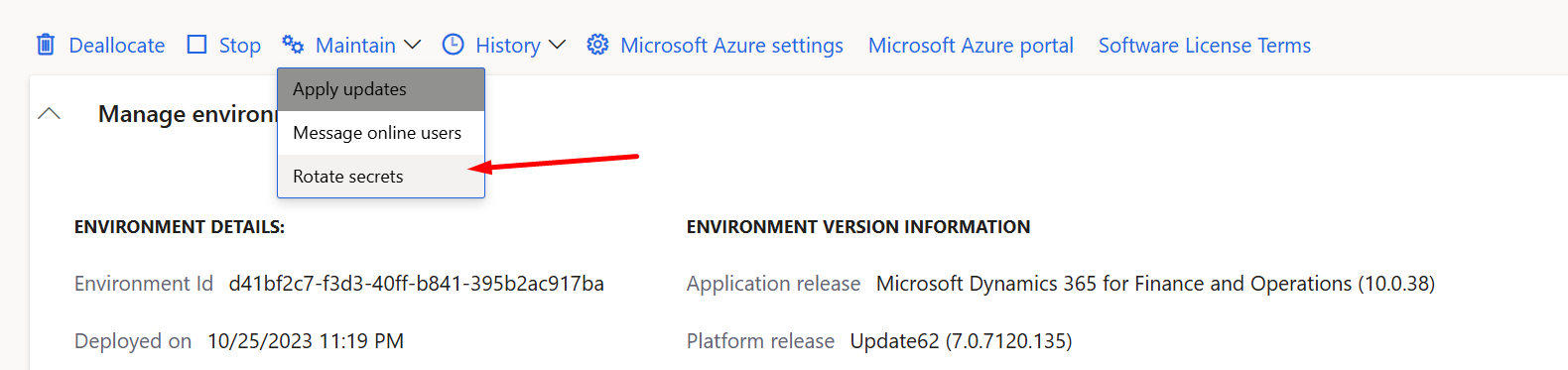
Click on Maintain and then Rotate Secrets.
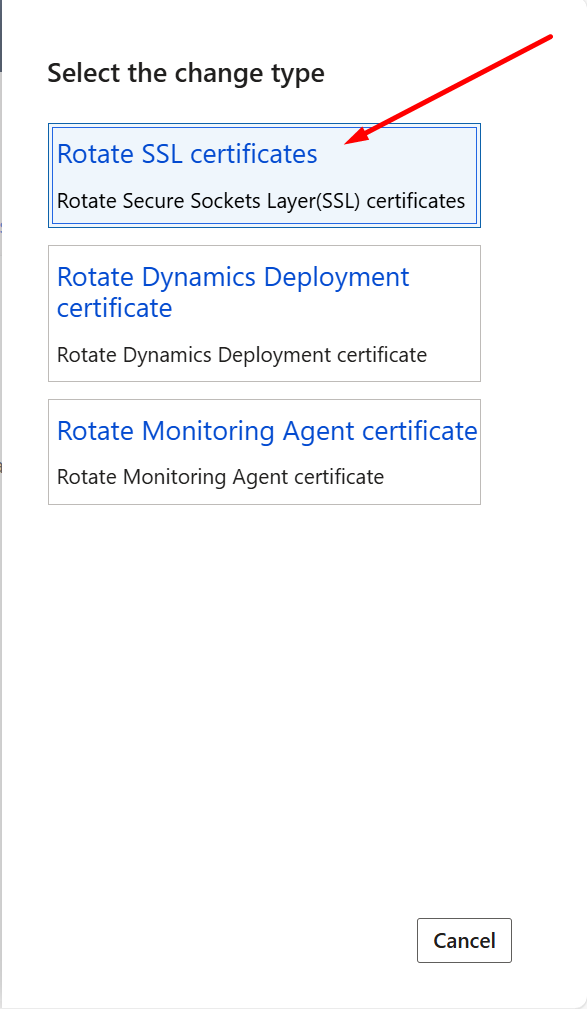
In the pop-up menu, select the change type as “Rotate SSL Certificates”.
The environment will enter servicing mode and display the status “Rotating Secrets”.
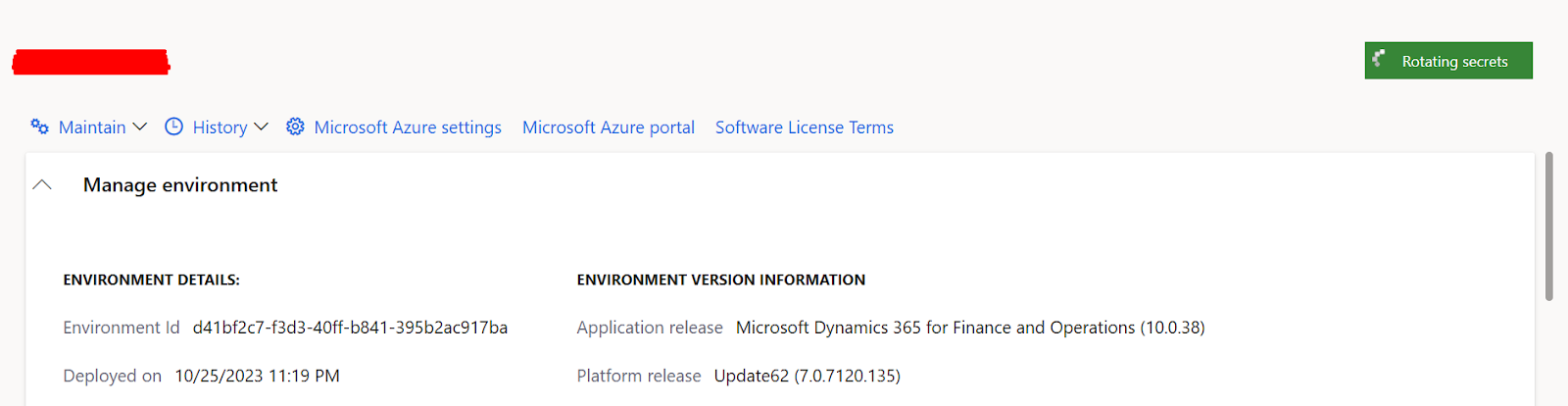
This entire process usually takes less than 15 minutes.
Although documentation suggests that secret rotation appears in environment history, it did not show up in my case.
Once completed, the SSL error is resolved.

Conclusion
SSL certificates are the backbone of secure communication in Dynamics 365 Finance and Operations.
An expired certificate can disrupt critical functionality, but proactive certificate management prevents such issues.
Regular monitoring ensures uninterrupted operations.
If you’d like to discuss this further, reach out to us at transform@cloudfronts.com.