

Pagination in SSRS Report
This blog explains how to set Pagination with fixed number of rows per page with table headers repeated on every page of SSRS report.
Steps:
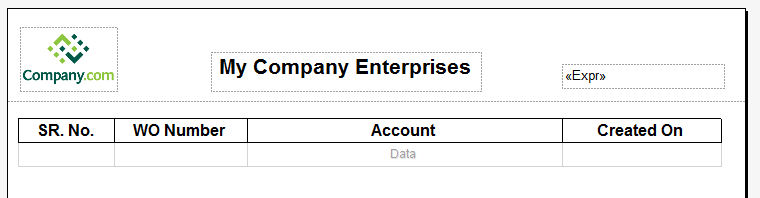
- Insert a Tablix on report and set table Headers.
- Set Row Data for Tablix
- Create a “Parent Group” on Tablix by Expression as below
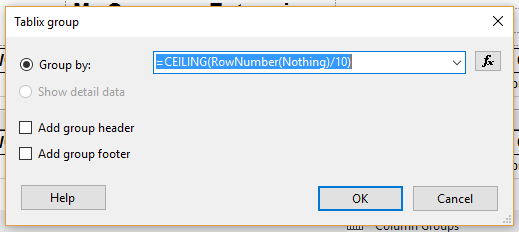
Note: We have set number of records per page as 10 in Ceiling Function.
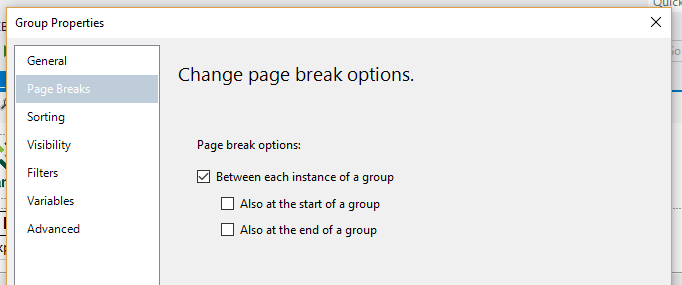
- Open Group Properties of “Group1” and change Page Breaks settings as below
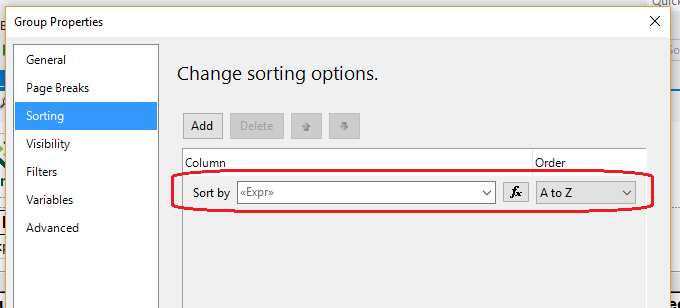
- Delete existing Sorting settings of Group as highlighted and click “OK”
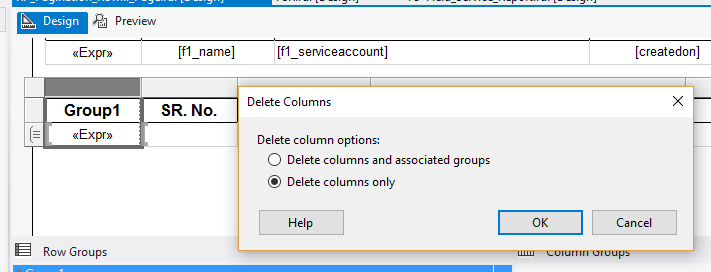
- Delete Column with header “Group1” with option “Delete columns only” from Tablix
- Set below Data Expression in SR.No. column of Tablix
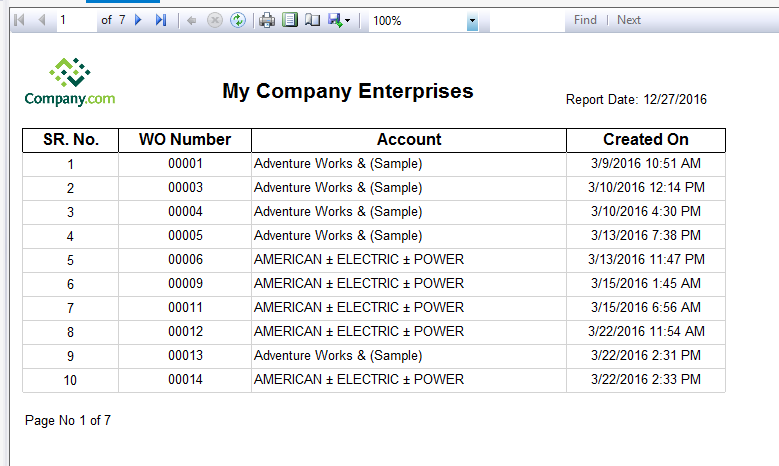
- Run Report and it renders as below


Related posts:

Resolving SSL/TLS Secure Channel Trust Errors in Dynamics 365 Finance and Operations

How to change a Bill of material (BOM) item on a production order

Shopify Meets Dynamics 365 Finance and Operations: A Guide to Integration [Part 2]